From One Photo to a Live Sports Broadcast with COLA
How a simple node-based workflow turns a character reference into a realistic baseball fan reaction video.
Creating a believable AI video usually takes more than a single prompt.
You need to preserve the character, build the right environment, choose a convincing camera angle, and then animate the scene without losing the identity established in the original image.
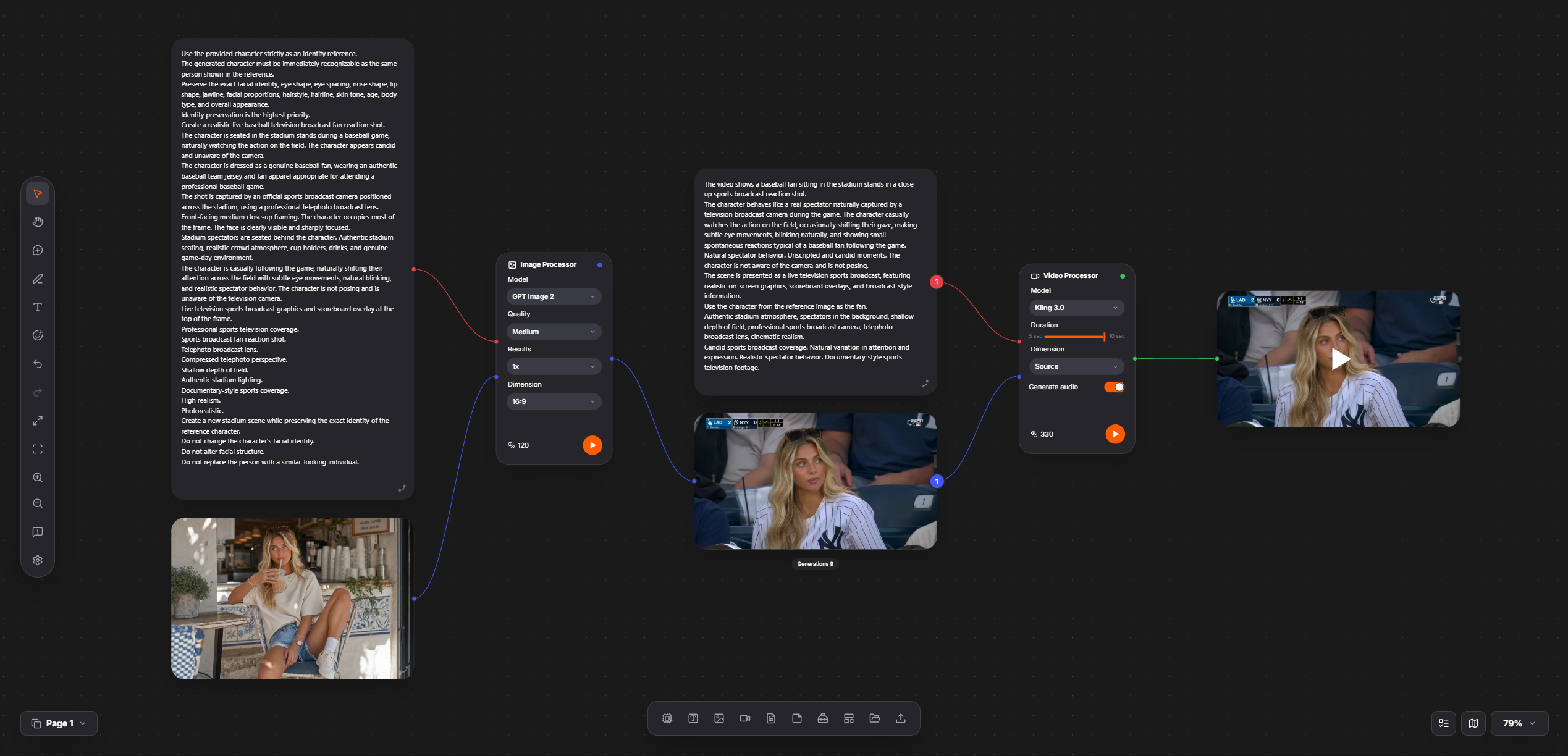
In COLA, all of these steps can be connected into one visual workflow.
This example starts with a casual character photo and turns it into a realistic sports broadcast shot of the same person watching a baseball game from the stadium stands.
Step 1: Start with a character reference
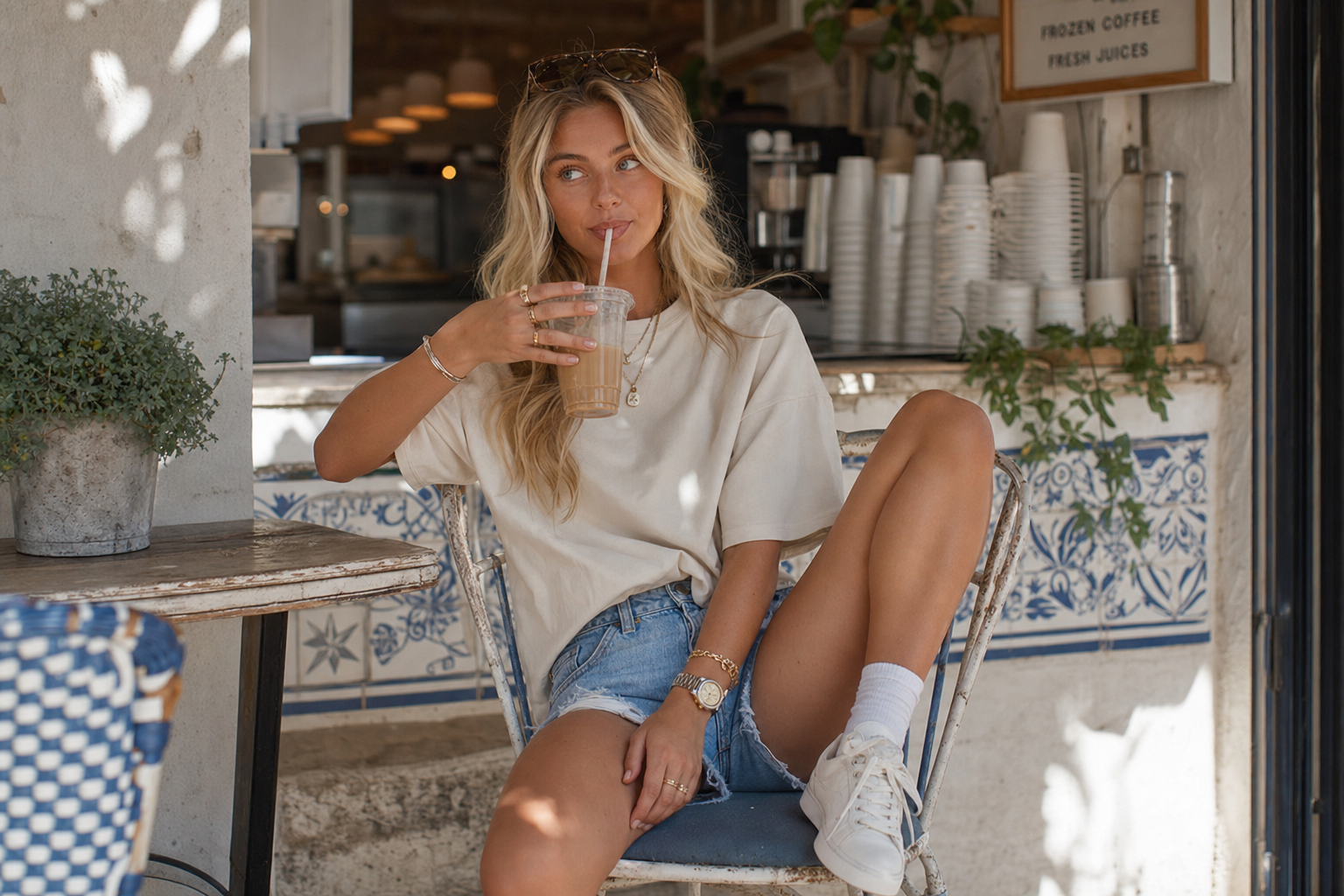
The first node contains the original photo.
This image is not used as a composition reference. Its main purpose is to define the character’s identity: facial features, hairstyle, age, body type, and overall appearance.
The workflow prompt makes identity preservation the highest priority. At the same time, it gives the image model permission to change the pose, clothing, background, and camera setup.
That distinction is important.
Without clear instructions, an image model may either copy too much from the reference or create a different person who only looks vaguely similar.
Step 2: Build the stadium scene
The reference image and the first prompt are connected to a GPT Image model.
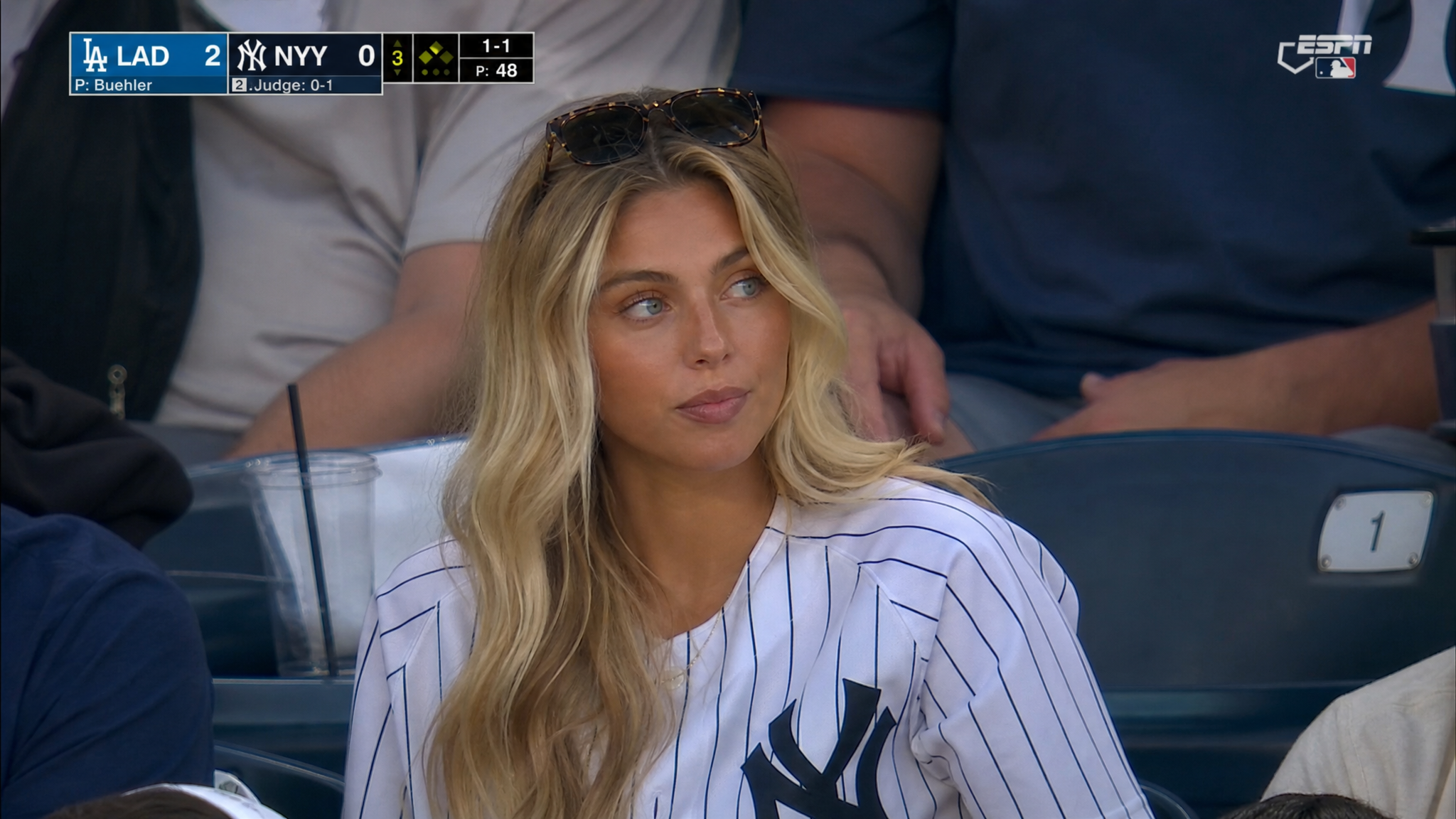
The model creates a completely new scene:
the character is seated in baseball stadium stands;
the clothing is changed to a baseball fan outfit;
the camera uses a professional sports-broadcast perspective;
spectators, seats, drinks, overlays, and stadium details make the result feel authentic;
the character remains the visual focus of the shot.
The generated image already looks like a frame captured from a live television broadcast.
This intermediate step gives the video model a strong and controlled starting point. Instead of asking the video model to invent the character, location, framing, and movement at the same time, the workflow first locks down the visual direction.
Step 3: Animate the broadcast shot
The generated stadium frame is then connected to Kling 3.0.
A second prompt describes how the final video should behave.
The character casually watches the game, follows the action with their eyes, blinks naturally, changes facial expression slightly, and occasionally shifts their gaze. The movement is intentionally restrained.
This is not meant to look like a staged performance. It should feel like a candid reaction captured by a television camera during a real game.
The prompt also keeps the camera stable and preserves the visual language of sports coverage: shallow depth of field, compressed telephoto perspective, broadcast graphics, and documentary-style movement.
Use the clearest frame where the character is looking toward the field and the broadcast overlay is visible. Splitting the workflow between an image model and a video model gives each stage a focused task: GPT Image handles identity, clothing, environment, composition, and lighting, while Kling adds blinking, eye movement, subtle reactions, and natural posture changes. This approach provides more control, makes results more consistent, and lets you reuse the same structure for concerts, interviews, football matches, fashion events, documentary portraits, and other scenes. In COLA, every step remains visible and editable on one board, turning a single generation into a reusable creative workflow.
Build visually, iterate quickly
COLA lets you create boards and connect text, image, and video models through a node-based interface.
Every stage remains visible:
where the reference comes from;
which prompt controls the scene;
which model generates the image;
which prompt controls the motion;
which model produces the final video.
This makes complex AI generation easier to understand, test, and reuse.
You are not just generating a single image or video. You are building a workflow that can be adjusted, duplicated, and applied to new ideas.
One reference image. Two prompts. Two specialized models. One finished broadcast-style video.
That is the idea behind this COLA workflow: break a complex creative task into clear stages, give each model a specific role, and keep the whole process visible on one board.